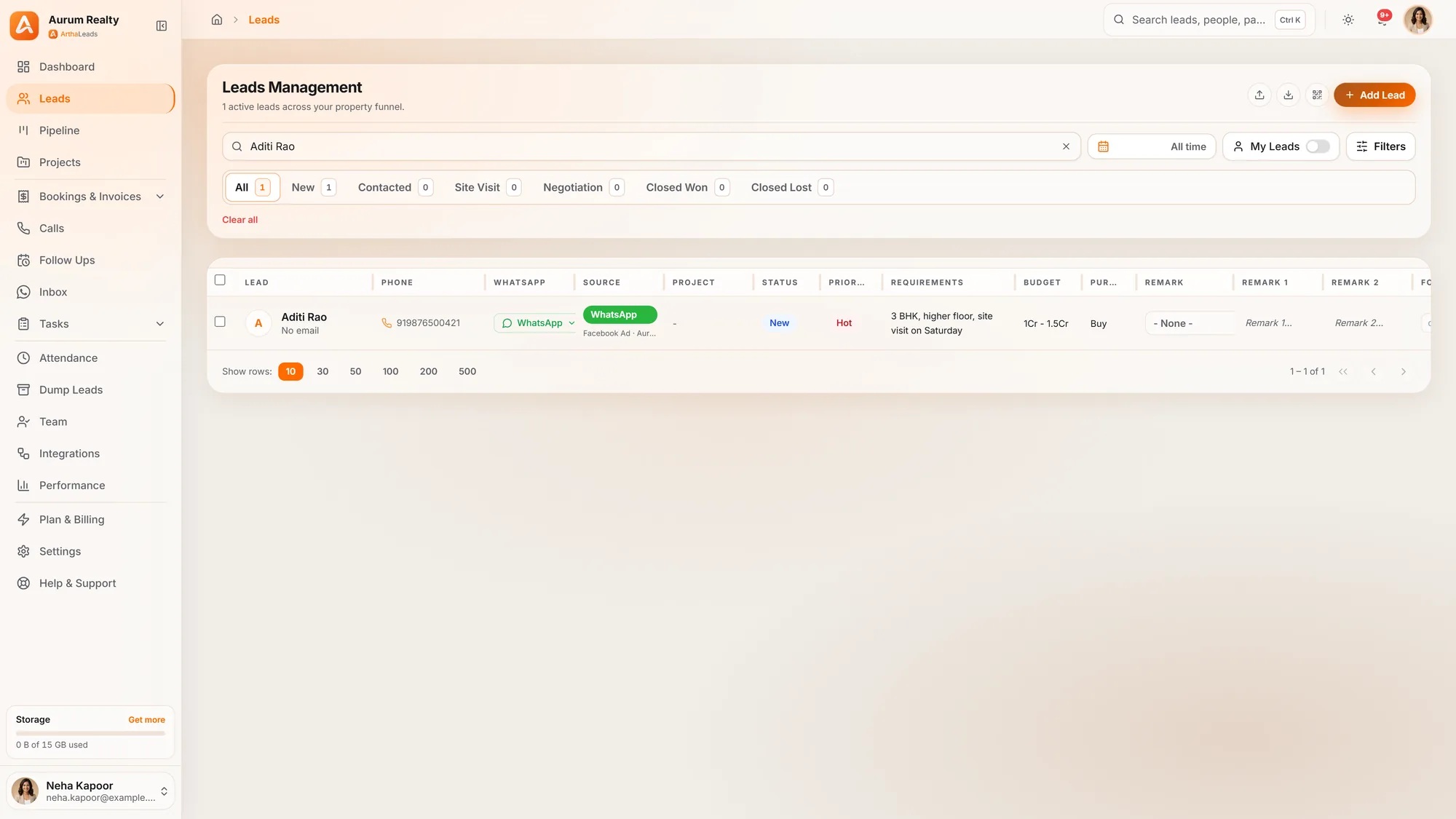
Unified Lead Inbox
Every lead from Facebook, WhatsApp, Google Ads, walk-ins and portals lands in one place. No more juggling spreadsheets or missing follow-ups across platforms.

Built for Indian real estate teams, from small channel partner offices to large developer sales floors. Here is everything ArthaLeads does, in the order your team uses it.
Ads, portals, WhatsApp, your website and walk-ins arrive as leads with their source attached, without copy-paste.
Every lead from Facebook, WhatsApp, Google Ads, walk-ins and portals lands in one place. No more juggling spreadsheets or missing follow-ups across platforms.
Every org and project gets a unique QR code. Put it on site hoardings, brochures, or expo stalls. A prospect scans it, fills a form on their phone, and the lead lands in your CRM instantly, with the source tagged.
The import engine detects and skips duplicate phone numbers automatically, even across different formats. Every agent calls a unique lead.
Every integration card shows whether it is live, paused or needs attention. Pause a source, run a diagnosis to see what went wrong, refresh an expiring token or reconnect, all from the same card.
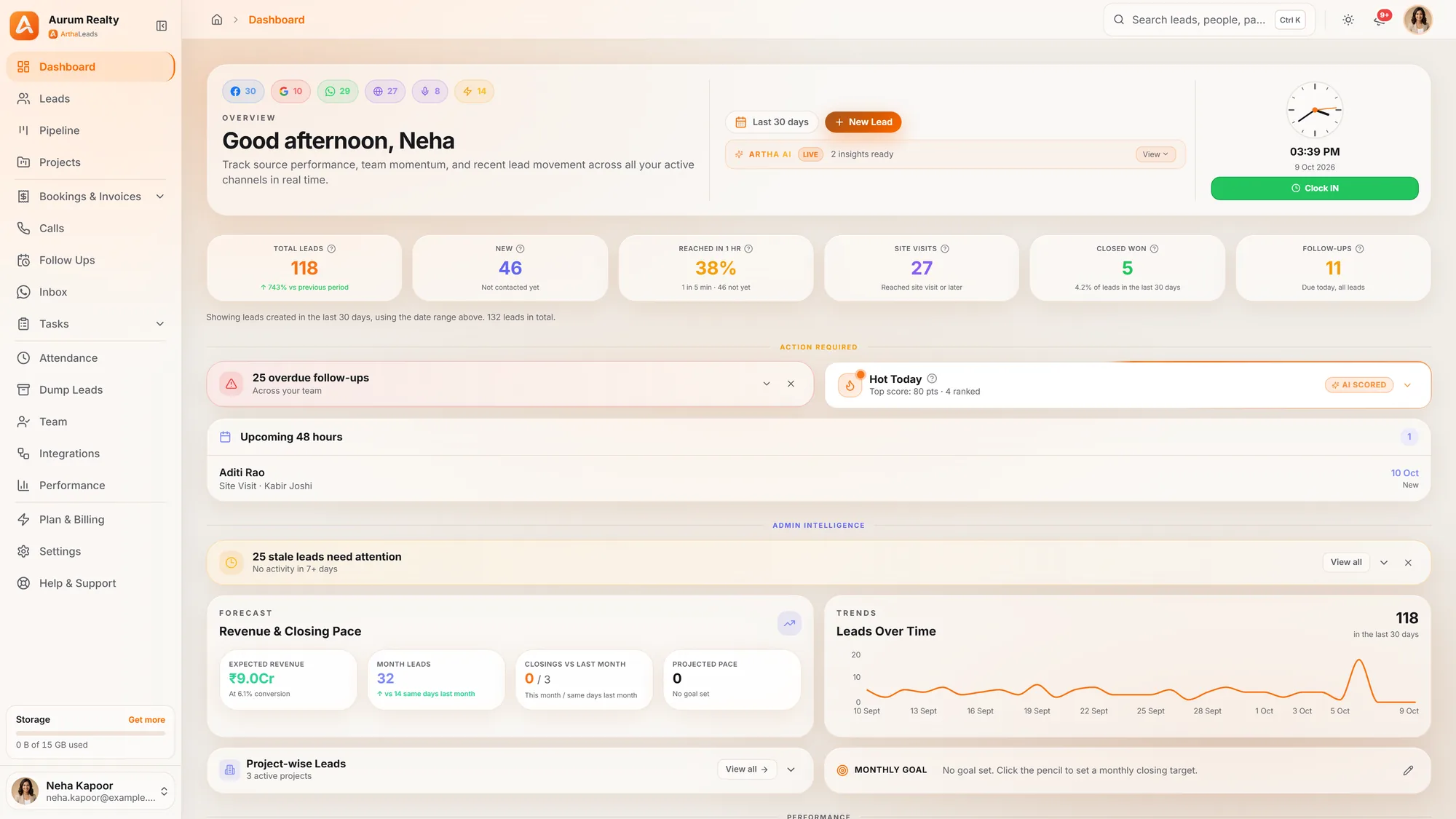
Scores, alerts and search point your team at the buyers most likely to move today.
Every lead is automatically scored 0–100 from signals such as budget, how recently it came in, pipeline stage, follow-ups and activity, using fixed rules you can rely on. Your Hot Today widget shows agents the top-scoring leads to call every morning.
Colour-coded reminders: red for overdue, amber for due today. One-tap call or WhatsApp from the follow-up list. Push notifications for every new lead assignment so nothing slips through.
Press Ctrl+K (Cmd+K on Mac) on any page to find a lead by name or phone number, with live suggestions as you type.
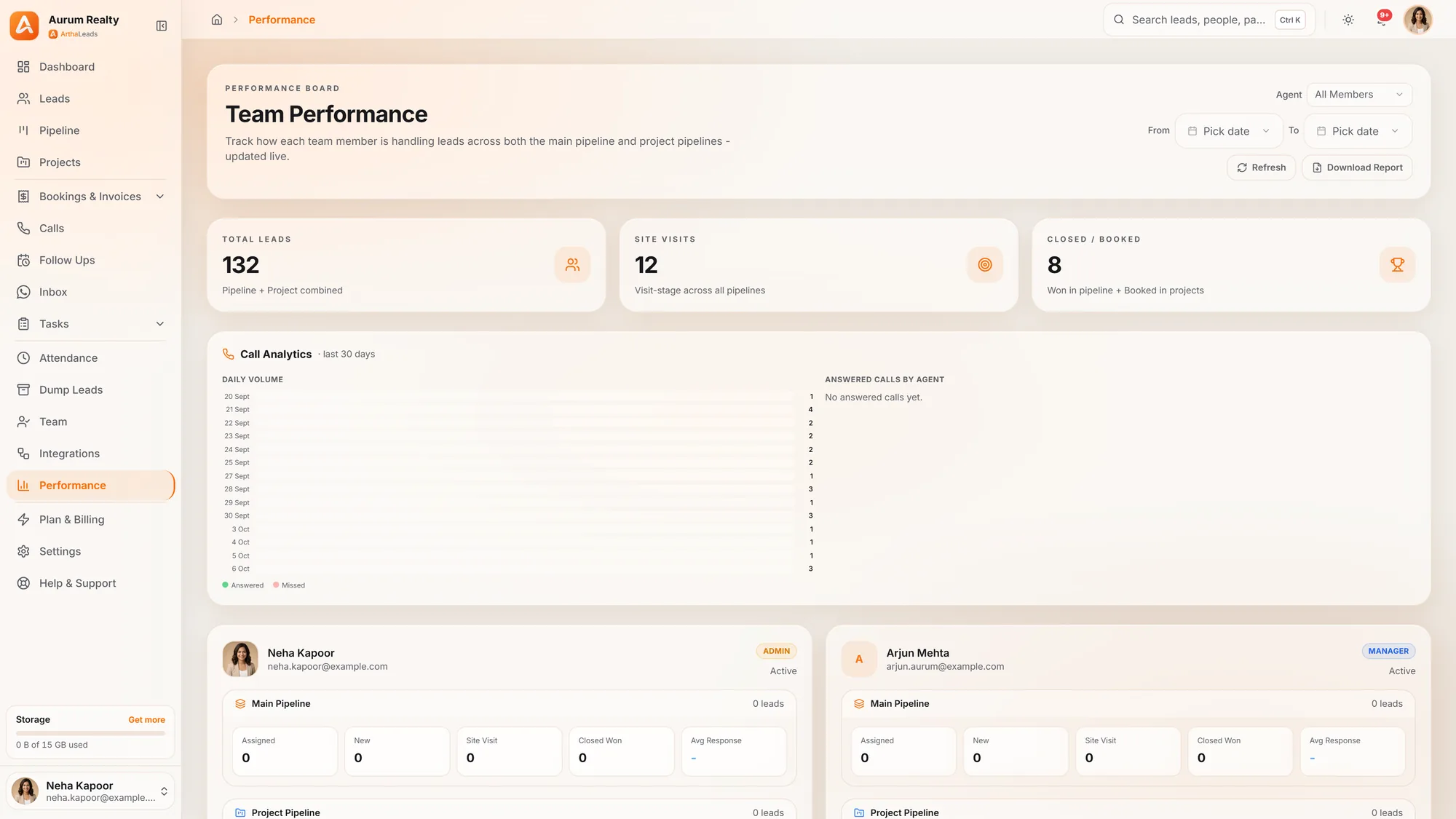
Admin panels in one screen: stale lead alerts (7+ days without a touch), revenue forecast against goal, weekly lead trend, live agent clock-in status, lead source health and project-wise conversion.
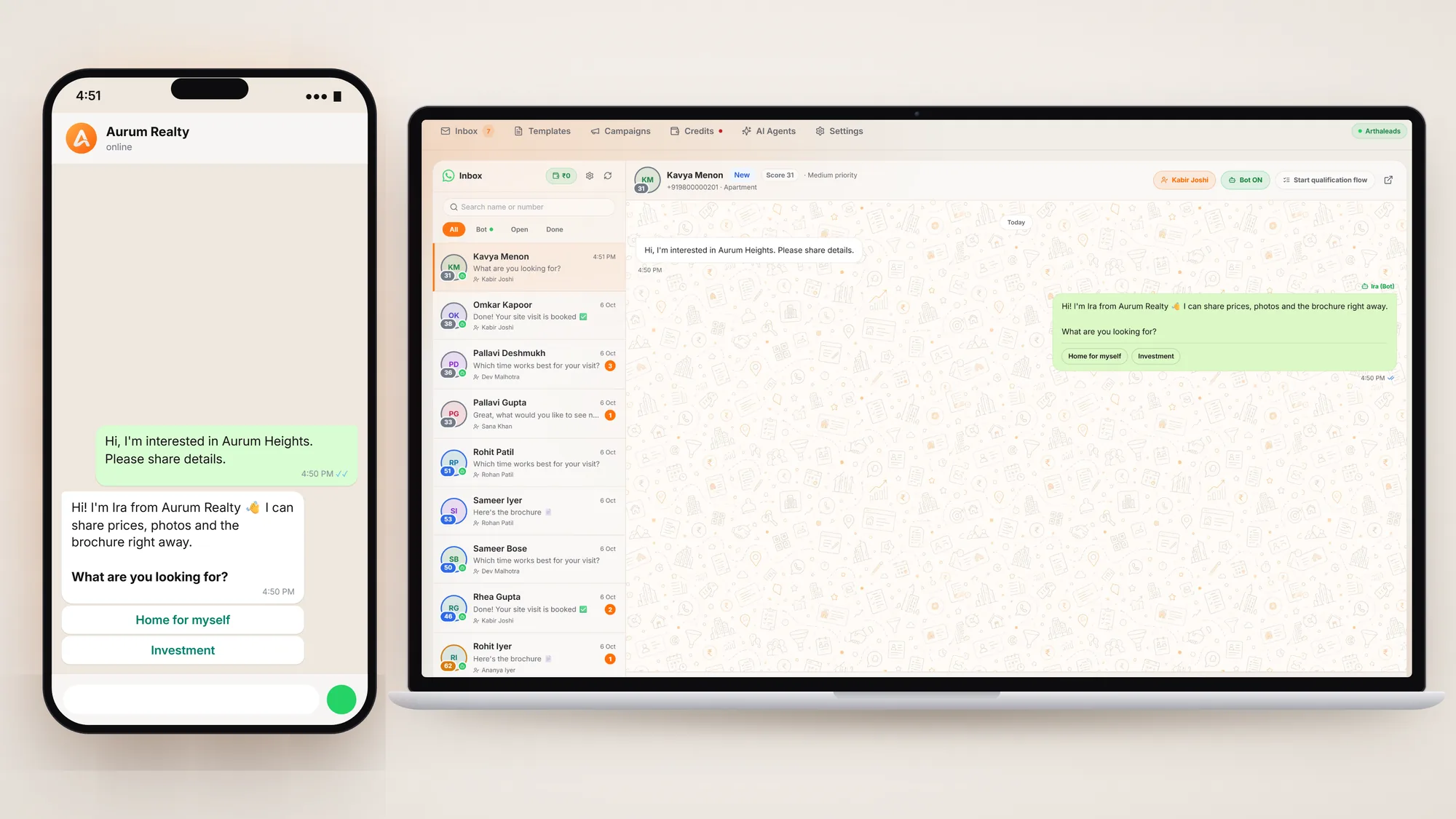
Reply, run campaigns and call from the lead itself, with the history saved where everyone can see it.
AI writes a personalised WhatsApp message for any lead using their name, project interest and budget. The agent reviews it and sends in seconds.
Each lead carries a WhatsApp consent status: granted, denied or unknown. Campaigns and marketing templates skip anyone who said no, and you can filter your audience by consent before you send.
WhatsApp messages are paid from a prepaid credit balance. Top up online in a few clicks, see a statement of every charge, and use the free monthly allowance of service replies first.
Set your WhatsApp business profile, business hours with an automatic away message, conversation auto-assignment, and who on the team gets notified for each kind of event.
One-tap click-to-call bridges your phone straight to the lead's number. Every recording is transcribed with AI-detected intent and sentiment, a summary and next-step suggestions, and can advance the lead's pipeline stage the moment it hears 'site visit' or 'negotiating'.
Remark tracking, booking status, follow-up scheduling and call outcomes for your calling team. Never let a hot lead go cold again.
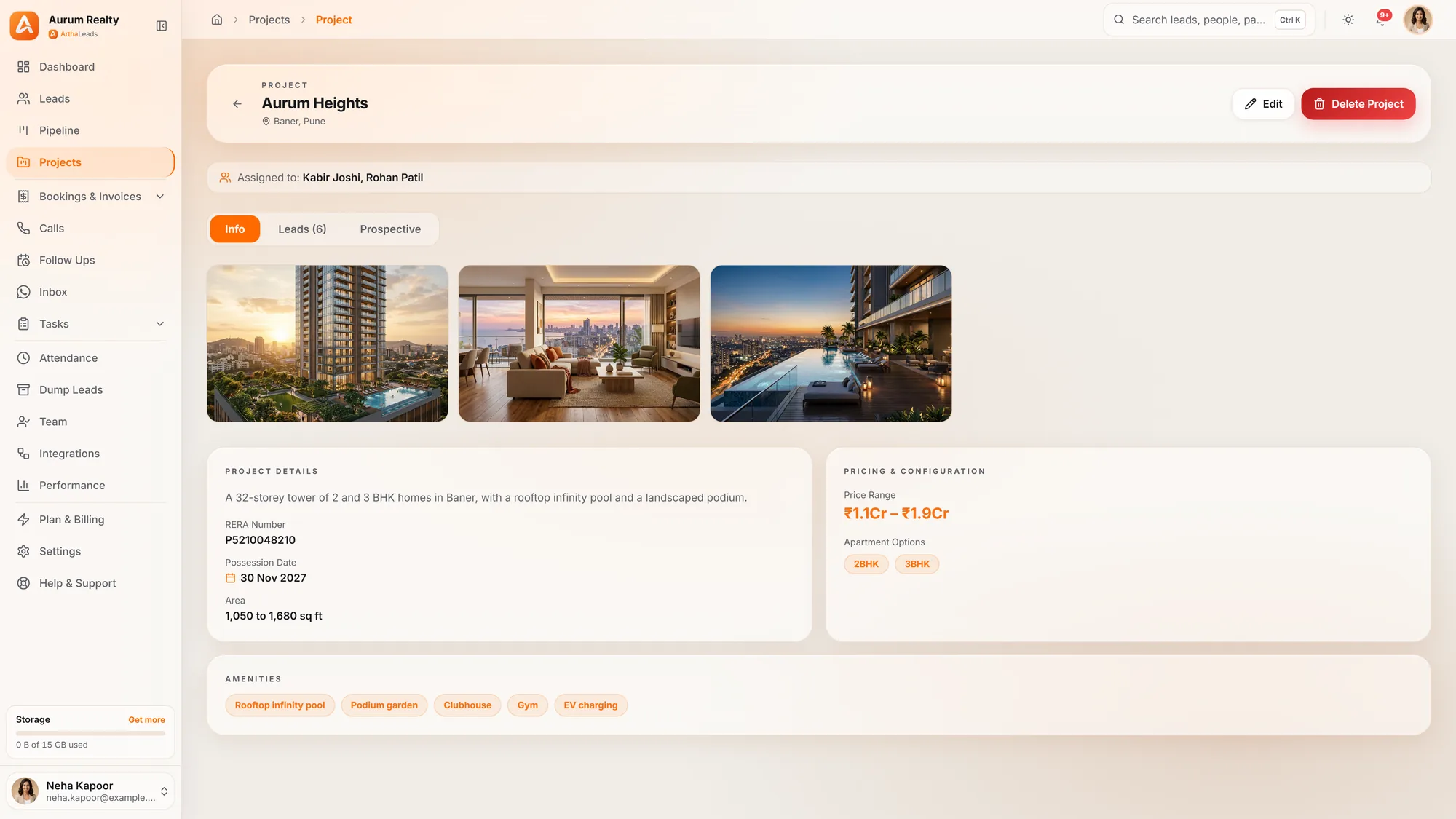
Keep each project's leads, team and media together, and move people between projects without losing history.
A Kanban pipeline lets you drag leads through stages, from New and Contacted to Site Visit, Negotiation and Closed Won. See your entire sales funnel at a glance.
Run multiple real estate projects at once. Import thousands of leads per project, track their status, share brochures, floor plans and videos, and assign telecallers, all in one workspace.
Transfer a lead from one project to another, or back to your main list, and it keeps its notes, follow-up, status and history. Nothing is retyped and nothing is lost.
Open any project lead and read its full WhatsApp conversation right there, without switching to the inbox.
Leads removed from a project go to that project's dump, not into thin air. Restore any of them to the same project in one click.
Deleted leads wait in the Dump instead of disappearing. Review them, restore them (a lead removed from a project goes back to that project), or remove them for good when you are sure.
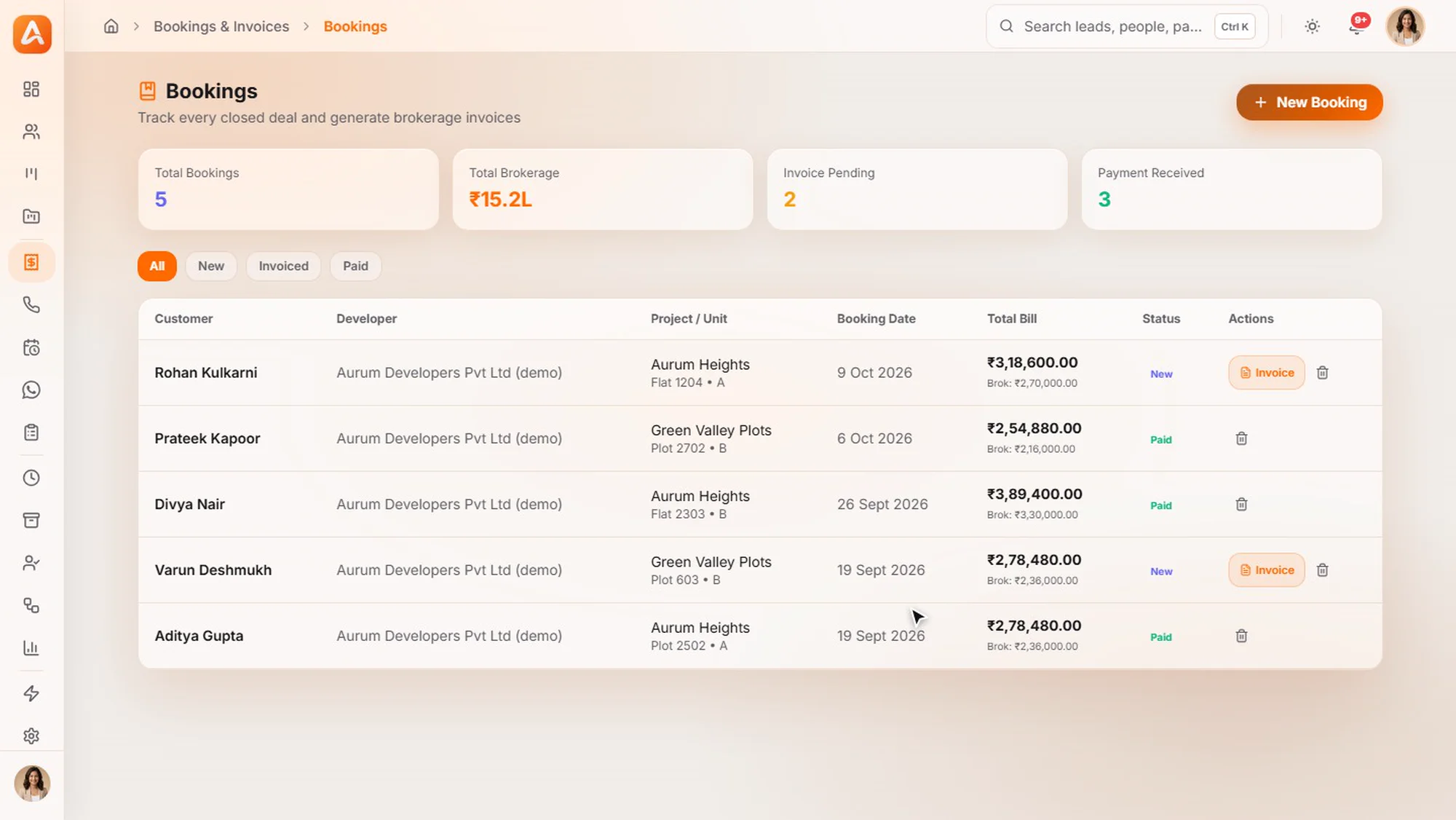
Bookings, brokerage, GST and invoices in the same place as the lead that closed.
Turn a closed deal into a booking in one click. Brokerage and GST (CGST/SGST/IGST) are calculated for you, and a branded PDF invoice carries your logo, RERA number and bank details.
Invoices are numbered in sequence automatically and move through Draft, Sent, Payment pending and Payment received, with totals for every status.
Keep a list of the developers you sell for, each with a default brokerage percentage that fills in on every new booking. Zero per cent is allowed.
Send lead outcomes such as a new lead, a site visit and a closed deal back to Meta, so your ads find more buyers like the ones who actually close. Choose the stages, send a test event, and see a log of what was sent.
Attendance, tasks, roles and performance, so managers see the work without chasing it.
Admin, Manager and Agent roles with controlled access. Track attendance, monitor individual performance and manage the whole sales team from one panel.
See how many seats you have paid for and how many are in use. Deactivating someone frees their seat for the next person you add.
Managers assign tasks to anyone on the team, linked to a lead or project, with a due date. People tick them off with a completion note so managers see what was done.
Field agents clock in and out from their phone with a selfie and location. No paper registers, no WhatsApp check-ins. Admins see attendance live and download monthly reports.
Dashboards for lead sources, team conversion rates, follow-up completion and the deal pipeline, with a drill-down for every team member.
Secure, separate data for every company, with help one click away.
Every company's data is kept completely separate, and role-based access means agents only see the leads and projects assigned to them.
An AI assistant on every page. Ask 'How many overdue follow-ups do I have?' or 'Who are my hottest leads?' and get answers from your own CRM data.
Raise a support ticket from inside the CRM, attach screenshots, and follow every reply in one thread.
Request your workspace, import your existing leads, and have your team calling the same day.